

Free, no sign-up needed
Free PDF and image tools: merge, compress, convert
Most tools run in your browser, so your file never leaves your device. The few that need our server are clearly labeled.
By akkadX · Full Arabic interface · On phone and desktop
Drop your files here
or paste with Ctrl+V, or take a photo
All tools
On your deviceOn our server
58
- Document scannerStraighten tilted photos of cards and pages and crop them to size.On your deviceNew
- Application packDocument photos into one ordered, compressed PDF for online applications.On your deviceNew
- Merge PDFCombine several PDFs into one file, in the order you choose.On your device
- Split PDFBreak one PDF into several files by page range.On your device
- Remove pagesDelete specific pages from a PDF and save a new copy.On your device
- Extract pagesPick specific pages and save them as a new PDF.On your device
- Organize PDFReorder or reverse pages, rotate, delete and add blank pages.On your device
- Scan to PDFSnap paper documents with your phone and get a clean PDF.On your device
- Compress PDFShrink a PDF, or compress it to a set size such as 500 KB.Mostly on your device
- Repair PDFTry to recover a damaged PDF that won't open.On our server
- OCR PDFMake a scanned PDF searchable and copyable, in Arabic, English and Persian.On our server
- Image to PDFTurn one or more images into a single PDF.On your device
- Word to PDFTurn a Word file into a PDF, keeping Arabic text and layout.On our server
- PowerPoint to PDFTurn a presentation into a PDF that looks the same anywhere.On our server
- Excel to PDFTurn Excel spreadsheets into a tidy PDF to share or print.On our server
- HTML to PDFTurn a web page link or HTML file into a PDF.On our server
- PDF to JPGConvert PDF pages into high-quality JPG or PNG images.On your device
- PDF to WordTurn a PDF into an editable Word file, with Arabic support.On our server
- PDF to PowerPointTurn PDF pages into editable PowerPoint slides.On our server
- PDF to ExcelExtract PDF tables into an editable Excel file.On our server
- PDF to PDF/AConvert PDF to PDF/A for long-term archiving.On our server
- PDF to textExtract PDF text as plain text, with Arabic in the right order.On your device
- Rotate PDFRotate sideways or upside-down PDF pages and save them.On your device
- Add page numbersNumber PDF pages in Arabic-Indic (١٢٣) or Latin (123) digits.On your device
- Add watermarkAdd Arabic or English text, or a logo, as a PDF watermark.On your device
- Crop PDFTrim PDF margins or show only part of each page.On your device
- Edit PDFAdd Arabic or English text, images, shapes and highlights to a PDF.On your device
- Flatten PDFMake form fields and annotations a fixed part of the page.On your device
- PDF metadataEdit or remove a PDF's author, title, software and dates.On your device
- Compare PDFCompare two PDF versions and see text and visual changes.On your device
- Unlock PDFRemove the password from a PDF when you know the password.Mostly on your device
- Protect PDFEncrypt a PDF with a password before you send it.Mostly on your device
- Sign PDFSign a PDF by drawing, typing or uploading your signature.On your device
- Redact PDFTruly remove sensitive info from a PDF, not just cover it.Mostly on your device
- Request signaturesAsk others to sign a PDF through a link sent by email.On our serverNew
- CV builderArabic and English CVs from 47 templates, as PDF or Word.Mostly on your deviceNew
- PDF formsFill in PDF forms or add fillable fields to any PDF.On your deviceNew
- PDF to MarkdownTurn a PDF into Markdown with headings, tables and links.Mostly on your deviceNew
- Summarize PDFSummarize a PDF in Arabic or English, with key points.AINew
- Ask your PDFAsk a PDF questions in Arabic or English, with page-cited answers.AINew
- Translate PDFTranslate a whole PDF into Arabic, English, French or Kurdish.AINew
- Compress imageReduce image file size in KB while keeping it sharp.On your device
- Resize imageChange image dimensions in pixels, percent or centimeters.On your device
- Crop imageKeep the part of the image you want and cut the rest.On your device
- Convert to JPGTurn HEIC, PNG, WebP and more into JPG images.Mostly on your device
- Convert from JPGConvert JPG images to PNG, WebP or GIF.On your device
- Rotate imageRotate or mirror an image in seconds.On your device
- Watermark imageAdd text, including Arabic, or a logo to protect your photos.On your device
- Photo editorFilters, lighting, stickers and proper Arabic text on photos.On your device
- Meme generatorAdd captions, including proper Arabic, and make memes fast.On your device
- Remove backgroundRemove a photo's background and get a transparent PNG.On our server
- Upscale imageEnlarge small images 2x or 4x with clearer results.On our server
- Blur facesBlur faces, plates and personal details before posting.On your device
- HTML to imageCapture an image of any public web page from its URL.On our server
- US visa & DV lottery photo600×600 photo under 240 KB for the DV lottery and US visas, fully checked.On your deviceNew
- US visa documents (CEAC)Each document as one PDF under 2 MB, ready to upload to CEAC.On your deviceNew
- Passport & ID photo4×6 cm or 35×45 mm photos with a white background.On your device
- Remove photo metadataStrip GPS location, device model and date from photos.On your device
Chain tools into one workflow
Save a chain like “merge, then compress, then number pages” and run it on new files in one go. Local steps run on your device.
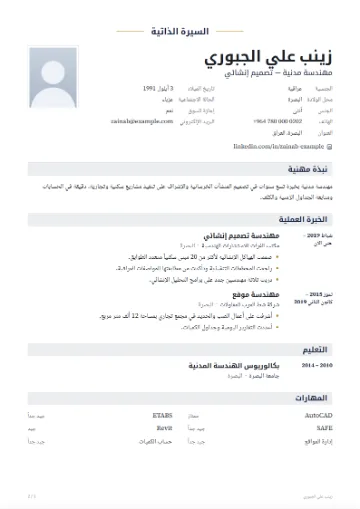
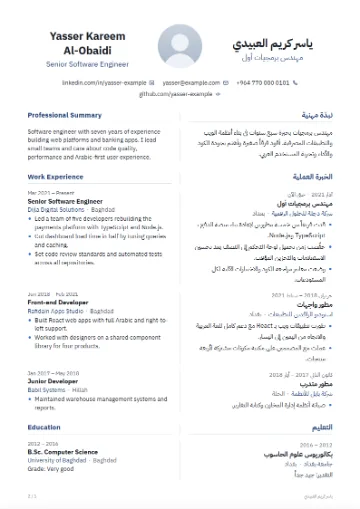
Make your CV
47 original templates in Arabic and English, live preview with real pages, PDF with selectable Arabic text, and Word.
Start your CV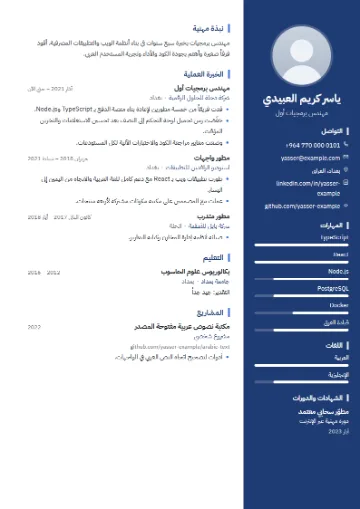
Where is your file processed?
Not every tool runs on your device, and we won't pretend otherwise. Each tool carries a badge that tells you where your file is processed before you pick it.
- On your device
Most tools: on your device
Merge, split, image to PDF, image compression and many more run inside your browser. Your file is not sent to any server.
- On our server
A few tools: on our server
Tools such as PDF to Word, OCR and background removal need software that doesn't run well in a browser. With these, your file is sent to our server over an encrypted connection, processed, and deleted right after processing.
- Mostly on your device
Some tools: one option uses the server
In tools like Compress PDF, the normal options run on your device and only the Strong compression level uses our server. We say so right next to that option.
Whichever way suits you
The same tools on every device.
Built for Arabic from the start
The whole interface works right to left, and tools that add text to your file handle Arabic with care.
Connected letters, correct direction
The edit, sign and watermark tools are built to show the Arabic you type with connected letters, running right to left.
Page numbers your way
Number your pages with Arabic-Indic digits (١، ٢، ٣) or Latin digits (1, 2, 3), and choose where they go.
Arabic watermarks
Stamp “for application only” or your organization's name in Arabic on a PDF or on your photos.
Honest about conversion
How well an Arabic PDF converts to Word depends on how the PDF was made. Scanned files need OCR first, and you should always check the result.